Sheet 01 · Smart home

A smart home built into the interior design

I put lighting, sensors, climate and locks on the drawings before the renovation starts. Electricians lay cables once — no chasing through finished walls. Renovation already done? I’ll install wireless devices.
from $450 + devices · an apartment or a house of any size
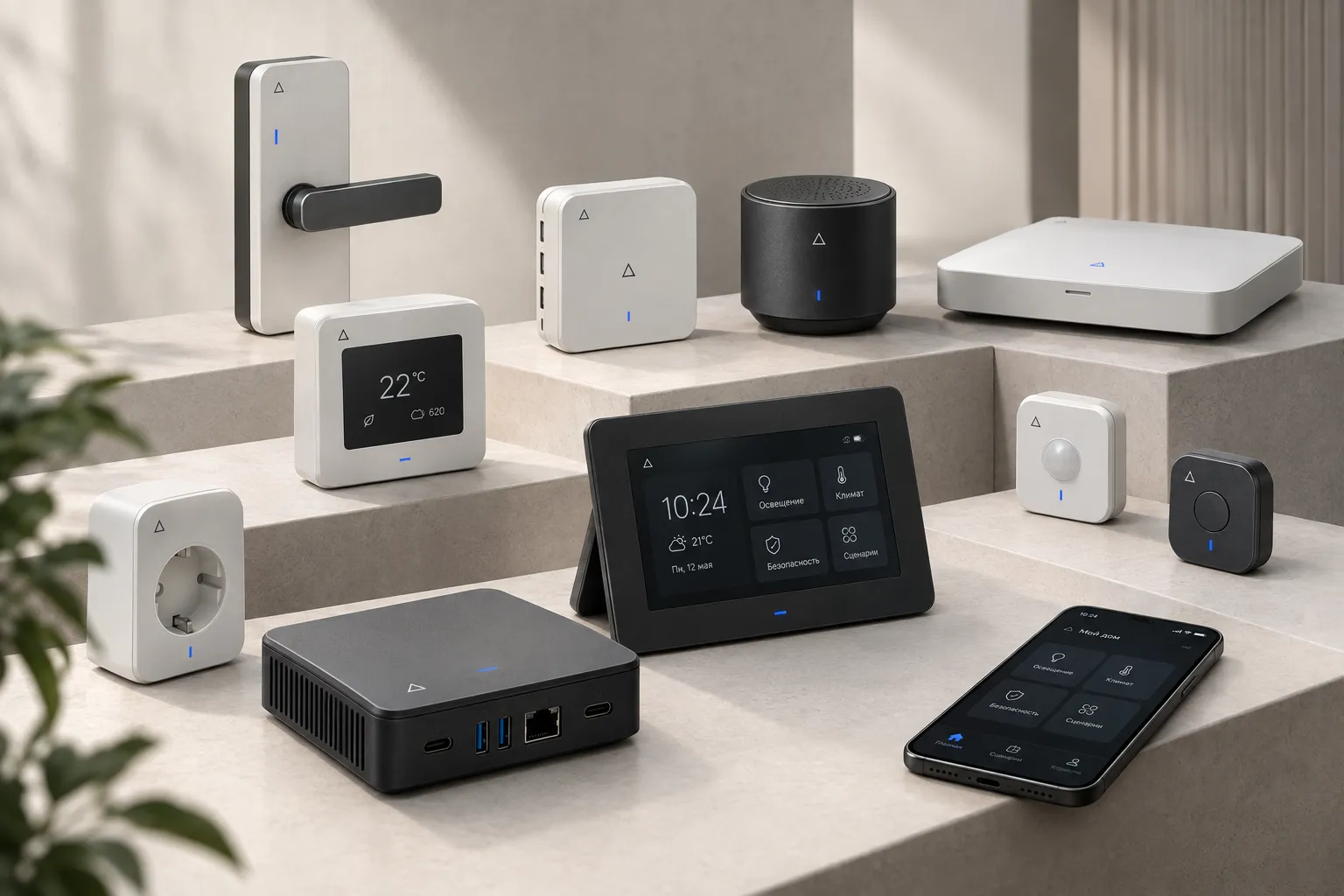
DeltaDev smart home devices: electric lock, sensors, speaker, hub, control screen, socket and the phone app
In-house devices · DeltaDev

Sheet 02 · Why in the design

A system is easier to build in than to add later

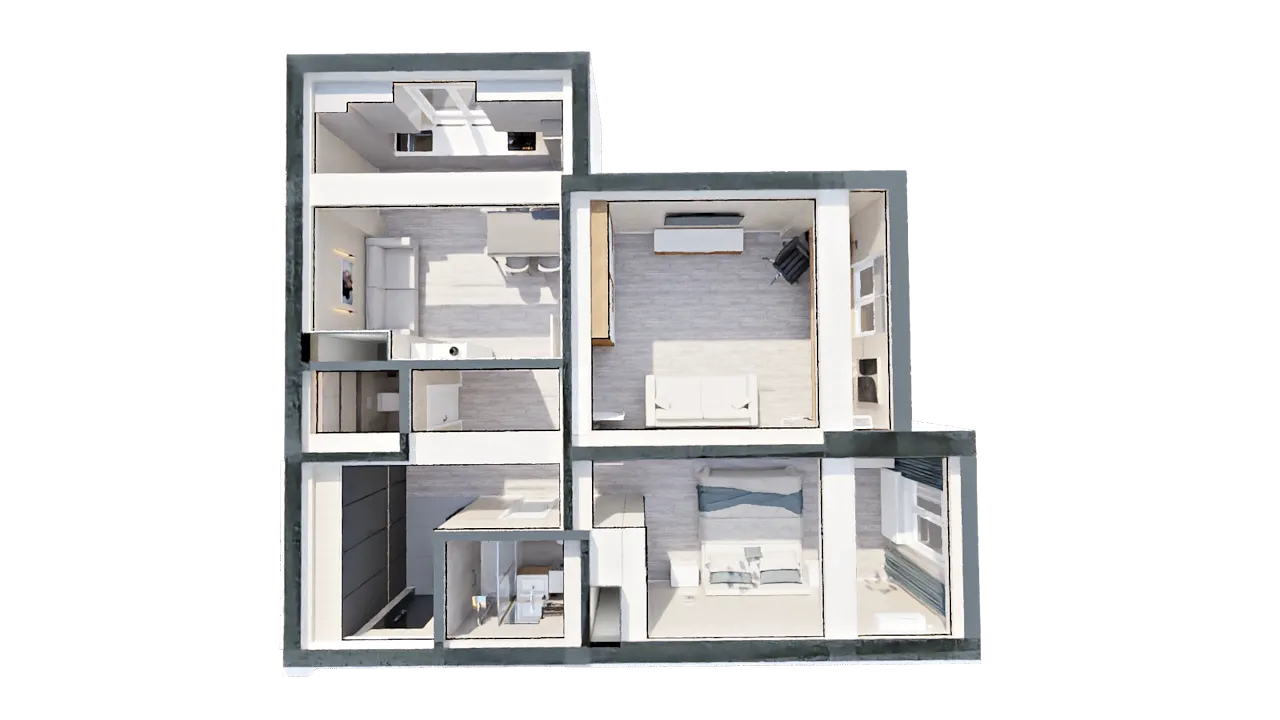
Every device gets its place on the apartment plan — together with its socket, cable and mounting height.

3D apartment plan with smart home device points markedD01D02D03D05D06D10
D01 lockD02 leakD03 lightD05 groceriesD06 alarm clockD10 IR remote

Points on the drawings

Sockets, sensors, switches and the controller are on the electrical plan of the working drawings. Furniture and lighting take them into account in advance.

Our own devices

I develop and program locks, sensors, relays and remotes myself — from the circuit board to the app. No lock-in to one brand.

Control from your phone

App, scenes and Telegram notifications: lights, water and doors under control even when you’re away.

Sheet 03 · Features

A home that sees, hears and cares

Since 2024 I’ve been working with face recognition, gesture and voice control. These technologies are at the core of the system.

01

Sees who’s home

Face-recognition cameras count people in every room and recognise family members.

02

Lights switch off by themselves

Nobody home or everyone’s asleep — lights dim or switch off.

03

Security

If someone breaks in, you instantly get a notification and camera video.

04

Care for your loved ones

If someone loses consciousness, the home alerts the whole family, and in an emergency it can call 101, 102, 103 or 104.

05

Groceries under control

Scales and cameras know how much food is left.

06

Voice and gestures

All devices can be controlled by voice, some — by gestures.

07

Backup power

The system keeps running when the power goes out.

08

Wired or wireless

We lay cables during the renovation — or install wireless Wi-Fi devices in a finished house or apartment.

Sheet 04 · Specification

In-house devices

Choose only what you need: start with a couple of sensors and expand later without rework.

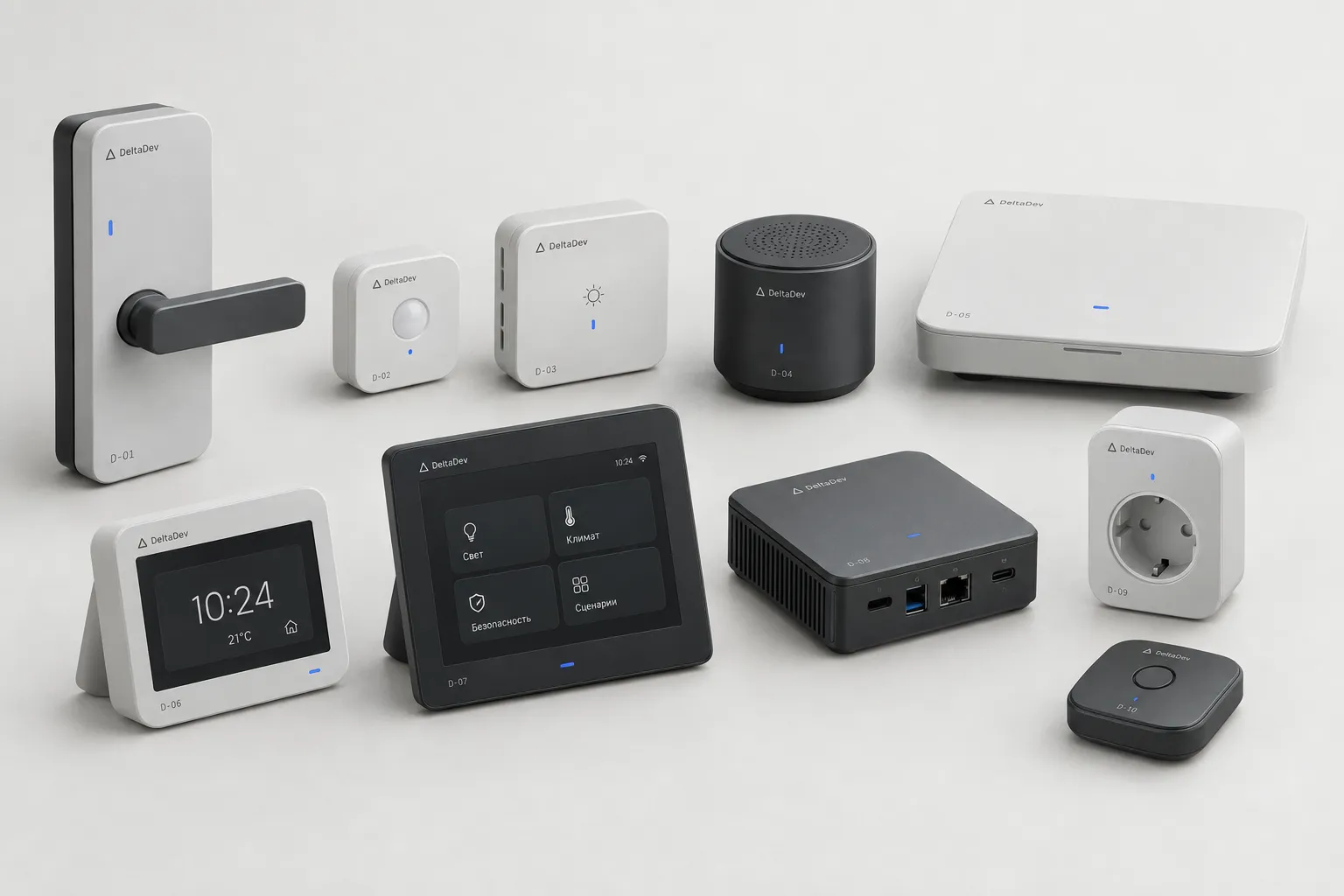
Device line-upD-01 … D-10
Device line-up marked D-01…D-10: lock, sensors, light, speaker, hub, alarm clock, screen, mini PC, socket, remote
Smart home device specification
POS.DEVICEWHAT IT DOES
D-01Front door electric lockFingerprint, face or a button in your phone; guest access by photo
D-02SensorsLeak, smoke, sound, motion
D-03Lights and scenesLighting modes and scenes for the whole home
D-04Voice controlFrom any room — for all devices; knows who is speaking
D-05Grocery trackingShelf scales and fridge cameras: how much is left
D-06Alarm clockLights, music and curtains on schedule
D-07Tasks and to-dos dashboardA shared to-do screen for the whole family
D-08Remote PCPower-on and file access from anywhere
D-09Wi-Fi relays and socketsAny appliance becomes controllable
D-10IR remoteOne remote for all appliances, controlled from the app
D-11Presence cameraSees how many people are in the room and recognises family members
D-12Gesture controlLights, scenes and an alarm signal — with a wave of the hand
D-13Backup powerThe system keeps working during power cuts
D-14Live video monitoringCameras and recordings — from anywhere, on your phone

Sheet 05 · Scenes

One button instead of ten actions

SCENE 01BUTTON BY THE DOOR

“Leaving”

  1. Lights go off in every room
  2. Curtains close
  3. Iron and stove sockets switch off
  4. Security arms: motion and doors
SCENE 02ON SCHEDULE

“Good morning”

  1. Curtains open slowly
  2. The bedroom light brightens over 10 minutes
  3. Music turns on
  4. In the kitchen — warm light over the table
SCENE 03BY SENSOR

“Leak”

  1. The sensor under the bathtub detects water
  2. The valve shuts off the riser
  3. A Telegram message to you and the neighbours
  4. The bathroom light blinks until you check
SCENE 04BY CAMERAS

“Nobody home” and “Everyone’s asleep”

  1. The home sees how many people are in each room
  2. In an empty room the light goes off by itself
  3. When everyone is asleep — lights dim or switch off
SCENE 05SECURITY

“Intruder in the house”

  1. The camera doesn’t recognise the person
  2. You get a notification with a snapshot
  3. Live video from the cameras — straight to your phone
SCENE 06CARE

“Someone is unwell”

  1. The home notices that a person has fallen or lost consciousness
  2. Alerts all family members
  3. In an emergency it can call 101, 102, 103 or 104
SCENE 07BY CAMERA

“Child is home”

  1. The door camera recognises your child
  2. Parents get a Telegram message with the time
  3. Lights come on in the hallway and in their room
SCENE 08SECURITY

“Distress gesture”

  1. You show the camera a pre-agreed gesture
  2. The door opens as usual
  3. Your family silently receives an alarm with video
SCENE 09ACCESS

“Guest by photo”

  1. You send a photo of your guest on Telegram
  2. The house recognises them at the door
  3. The door opens only for them, and only today
SCENE 10GESTURES

“Quiet night”

  1. Up at night — a path of light leads to the bathroom
  2. A hand gesture turns the light off
  3. Nobody in the house wakes up

Sheet 06 · Recognition

A home that knows you

Your face, voice and gestures tell the house not just “someone is in the room”, but exactly who is there. So it acts for that particular person.

GROUP 01PERSONAL

A home of their own for everyone

  • Personal profiles. Lighting, temperature and music adjust to whoever walks into the room.
  • A TV that knows the viewer. A kids’ profile for the child, and the adults’ series picks up where they left off.
  • Targeted reminders. “Pick up the parcel” — to exactly the right person, as soon as they appear.
  • Follows you around the house. Music and light move from room to room along with you.
GROUP 02CHILDREN

Peace of mind about the kids

  • “Child is home”. Back from school — parents get a message with the time and a snapshot.
  • Danger zones. Alone by the stove, on the balcony or at an open window — an alert right away.
  • Screen time limit. Time’s up — the TV switches off for the child, not for everyone.
  • Voice with permissions. A child can’t disarm the alarm or open the door by voice.
GROUP 03ELDERS

Care for the elderly

  • A familiar day. “Grandma hasn’t been to the kitchen since morning” — the house notices silence too, not only a fall.
  • Medication on time. The reminder sounds when the person walks into the kitchen.
  • SOS without a phone. Say “help” or show a gesture — the family knows at once.
  • Night path. Up at night — soft light all the way to the bathroom.
GROUP 04SECURITY

Security by face

  • Scheduled access. The door opens for the nanny or housekeeper only during their hours.
  • Guest by photo. Send a photo on Telegram — the door will open only for them, and only today.
  • Distress gesture. The door opens as usual, while your family silently receives a signal.
  • A stranger at the gate. Standing there for more than a few minutes — you get an alert in advance.
  • Visit log. “14:32 — Aliya arrived”, “18:05 — courier, not recognised”.
GROUP 05VOICE AND GESTURES

Knows who is speaking

  • “Call Dad for dinner”. The house finds Dad and speaks only in his room.
  • “What’s on for me today?” Everyone gets their own to-do list.
  • By gesture at night. No voice — you won’t wake anyone.
  • By gesture in the kitchen. Hands covered in dough — recipe, timer and sound without touching the screen.
  • Intercom. Answer and open the door with a gesture, without looking for your phone.
GROUP 06SAVINGS

Spends only where you are

  • Climate by occupancy. Air conditioning and ventilation run in occupied rooms — depending on how many people are in them.
  • Forgotten appliances. Everyone has left but the iron is on — the house switches it off itself.
  • No false alarms. The camera tells a cat from a person — the alarm doesn’t go off because of pets.
PRIVACY

Cameras work for you, not watch you

Processing inside the houseFaces and voices are recognised on the home controller. Video does not go to the cloud.
Private zonesNo cameras in the bedroom and bathroom. You decide where the house looks and where it doesn’t.
Cameras — one tapA “Cameras off” mode in the app — when you want complete privacy.
Only with consentA person’s face and voice are added to the system only if they agree. They can be deleted at any time.

Sheet 07 · App

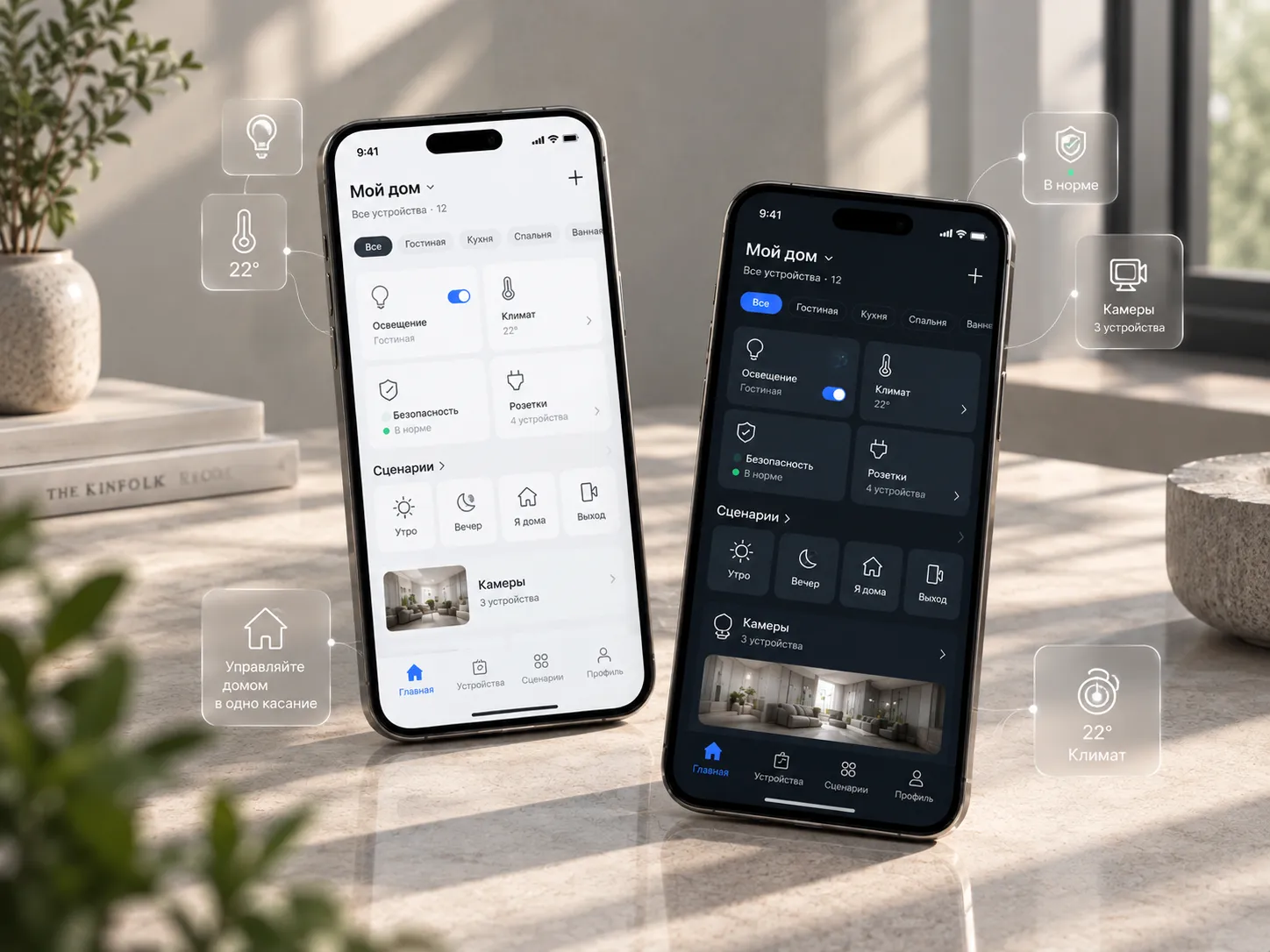
The whole home in one app

Lights, climate, security, sockets and cameras by room. “Morning”, “Evening”, “I’m home”, “Leaving” scenes — one tap. Light and dark theme.
  • ROOMS
  • SCENES
  • LIVE VIDEO MONITORING
  • TELEGRAM NOTIFICATIONS
Smart home app on two phones: light and dark theme, rooms, scenes and cameras

Sheet 08 · Cost

Estimate your system in a minute

Prices cover the design, setup and programming. Devices and electrical installation are priced separately per the specification.

FLOOR AREA

LIGHTING

Lighting zonesLight control from your phone and on schedule · $40 per zone
4 zones

SYSTEMS

RECOGNITION

The packages run on face recognition — it will be added to the estimate automatically.

COMFORT

Sheet 09 · Request

Let’s discuss your system

If the interior is still in progress, now is the time: device points will go into the working drawings along with furniture and lighting.

Property
The calculator estimate will be sent with your request.